- Project type
- UI Library
- Duration
- September 2019 — Present
- Tools and skills
- Figma, Adobe Xd along with an in-depth study of open design system like Material, carbon, etc.
- Client
- UNI.xyz, a web platform for designers focusing on crowd-sourcing design solutions and making the design more accessible.
- Status
- Live
Overview
Introduction
Creating a UI Library for in-house design system at UNI.xyz
Context
Background
'Design system' is a current day UX buzzword and for all the right reasons. I am a big advocate of that and have been proud to develop that for a web platform. While a design system is much larger entity on its own which includes principles, design philosophy, guidelines and assets, in this project, I'll limit myself to the UI library part.
Project history
To me, creating a UI library came naturally as a hack to save repetitive work. Initially at UNI, each element was designed from scratch which obviously meant more design (and development) time. Also there were several UI inconsistencies which would creep in due to the same. I remember auditing a web page to find we've used 9 font styles in single page! Thus, in order to reduce my work and ensuring consistency, I started creating a file for UI elements from where I could simply copy paste the elements whenever I needed them. That's how the UNI UI library came into existence. It started with 2 buttons & stayed that way for nearly a month.
Task
As a step forward, I took upon the challenge to create a cohesive and detailed UI library (and a design system) which should work for entire platform (web platform - across devices). Initially the idea was to create library to reduce the time in design process, but at later stages, it was expected to turn into a reference point for development.
Research
Case study
Although I started without any prior knowledge of UI kits (honestly, for me it was just a time saving hack) I later realized it is much bigger than what I expected it to be. I classified the elements I created under 3 groups - atoms, molecules & compounds and the rules governing their creation and usage was called chemistry (obviously). However, it was only when I started researching design system is when I realized that what I created was very much in line with atomic design principles.
However, at that point I developed a keen interest in the subject and did several case studies to design a system to scale. Some of the items I found helpful are listed below
Findings
Each UI library is based on a fundamental idea of creating a centralized (in most cases) collection of UI elements which could be used at any given place by making no or minor adjustments. However, I realized that having all the elements in single file had multiple issues ranging from scaling, maintaining change logs, collaboration, etc. I was looking for a solution addressing this issue and Spotify's design system was just the thing I was looking for.
Process
Approach
Initially, I started with idea of having all elements in a single file and very soon, I realized it wasn't the way to go. Also, Adobe Xd wasn't designed to be used that way. After a point where I hit the limit of content I could put in a single file, the best course of action was to bifurcate into multiple files.
Challenges
For me, in most cases, challenges were induced by the design tool (Adobe Xd). I'll skip the details but in essence, after a point it became almost impossible to use the elements from library defeating the entire purpose. Given the research, I was sure about the structure of arrangement (thanks to Spotify design team and all those who've made their system public for reference) however had to struggle due to tool limitation. Another challenge which I could foresee was collaboration with other designers. Although, for quite a while I was the only designer in the platform development team, however it wasn't to stay the same way and I needed to accommodate for that.
Process
For a while, I stuck to Adobe Xd as shifting platform would mean a lot of migration task and given the tight deadlines, that didn't look like the best option. However, slowly the system started to suffer and making a change was the only option - we went for Figma.
Working in Figma was bit different from Xd but in principle, everything remained same. The structure of segregating elements by type but keeping everything together remained consistent.
Outcome
Final design
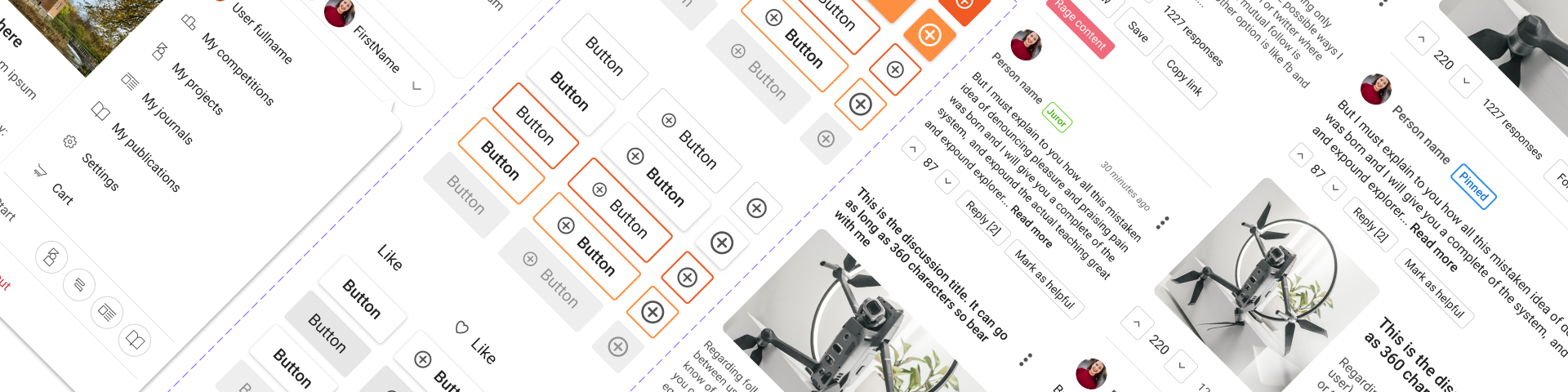
The current version of UI library is a figma file with multiple sections of interlinked (mostly) elements and properties (colors, typeface, etc.) The division is done on basis of element types. Although making a UI library is almost always a work in progress, still I'm proud that it has reached a certain level to be an integral part of our entire process.
Some screenshots of the sections are shared below. I won't showcase the zoomed in view to safeguard UNI's rights.
There are about 10+ more element categories in actual UI library apart from the ones presented here covering almost all elements we use on the platform.
Impact
Although the project started as a hack to save time, it didn't take long to for it to establish as a crucial aspect for platform's growth at UNI. In the initial stages we recorded 70% reduction in design time and on later stages, such improvements were seen in development process as well. The platform is much more visually coherent with a unified fabric tying all the elements.
Today, the library boast around ~900 elements and is growing every day. With more than 8 different sections of platform, each fundamentally different from other, this is what keeps things united and consistent.